Group and aggregate
Use groupby to summarize records by one or more categories.
Split, apply, combine
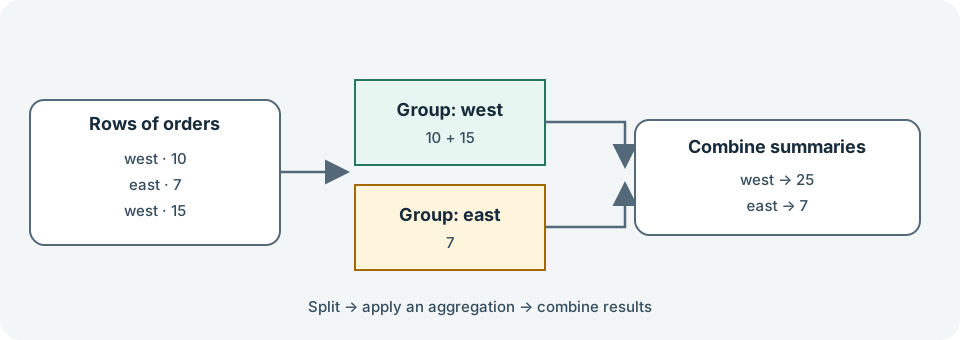
groupby divides rows by key values, applies a calculation to each group, and combines the results. Prefer built-in aggregations such as sum, mean, and size when they express the calculation:
import pandas as pd

orders = pd.DataFrame(
    {
        "region": ["west", "east", "west", "east", "west"],
        "product": ["tea", "tea", "coffee", "coffee", "tea"],
        "units": [4, 3, 2, 5, 6],
        "revenue": [10.0, 7.5, 8.0, 20.0, 15.0],
    }
)

by_region = orders.groupby("region")["revenue"].sum()
print(by_region)
Multiple grouping keys create a result indexed by multiple labels. Use as_index=False when you prefer grouping keys as ordinary columns in the result:
summary = (
    orders.groupby(["region", "product"], as_index=False)
    .agg(total_units=("units", "sum"), average_revenue=("revenue", "mean"))
)
print(summary)
size() counts rows in each group; count() counts non-missing values in a selected column. These answer different questions when data is missing.
Built-in groupby operations are usually clearer and more efficient than calling a custom Python function with apply. Reach for apply only when the operation does not fit an aggregation, transformation, or filtration.
Exercise: Group the orders by product and calculate total units, average revenue, and row count. Compare the row count with the non-missing count of revenue.
Sources: pandas groupby: split-apply-combine, GeeksforGeeks: Pandas Introduction